
Import work from Asana, ClickUp, Jira, Monday, Notion or Trello
The import assistant copies supported exported work into Edworking. It is a one-time migration, not an ongoing connection to the original tool. The assistant is available on all plans, subject to workspace limits and permissions.
Start with one project
- Open Import in workspace settings.
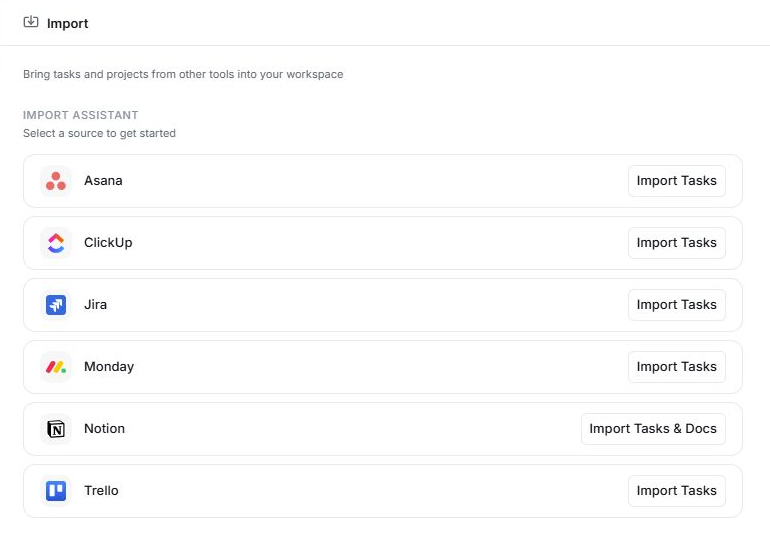
- Select Asana, ClickUp, Jira, Monday, Notion or Trello.
- Read the export instructions for that source and prepare the supported export file.
- Upload the file, then review the detected tasks, hierarchy and states.
- Map assignees to Edworking members. Review unmatched people rather than assigning work to the wrong person.
- Confirm the import, then inspect the resulting work in Edworking.
You need the relevant permission to create spaces or content in the destination.
Notion documents
Notion imports can include documents as well as tasks. Upload the supported export ZIP and choose the destination space for documents. Review both counts before confirming. HTML and Markdown exports preserve different content, so use the wizard's guidance when choosing the export format.
Know the limits
What comes across depends on the source and export. Automations, custom-field configuration and most attachments are not carried over. Asana CSV does not contain comments or attachments. Authenticated Jira and Trello attachment links are not imported.
The source workspace remains unchanged. Avoid repeating the same import without checking the result, because a second run may create duplicate work.
Validate before moving the rest
Check a sample of titles, descriptions, states, dates, owners, subtasks and documents against the source. Review unassigned work and unsupported content. Keep the export and original workspace until your team is satisfied with the migration.
Related: task management, Docs and integrations.
Read this guide in another language: Deutsch · Español · Français · Italiano · Português
Updated on: 05/10/2026
Thank you!